






Configurazione Panda Titanium Firewall
Quando utilizzi SPAMfightercon Panda Titanium 2005, devi approvare SPAMfighter nel tuo firewall. Puoi farlo seguendo queste istruzioni :
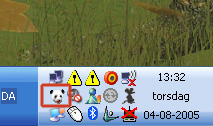
1. Avvia Panda cliccando sull'icona Panda nel tuo sys-tray sull'angolo destro. (Nota: il tuo sys-tray potrebbe apparire diverso da quello sottostante)
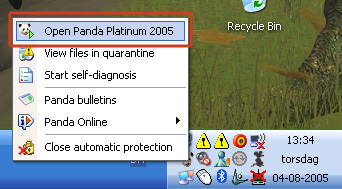
2. Clicca "Open Panda Titanium Antivirus 2005".
3. Clicca "Settings" nel menu.
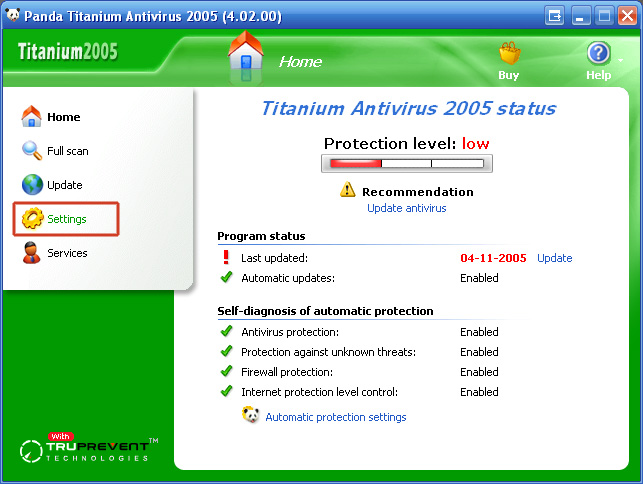
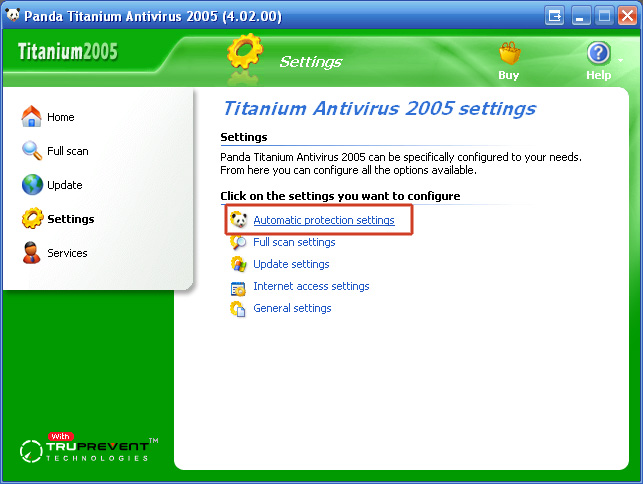
4. Clicca "Automatic protection settings".
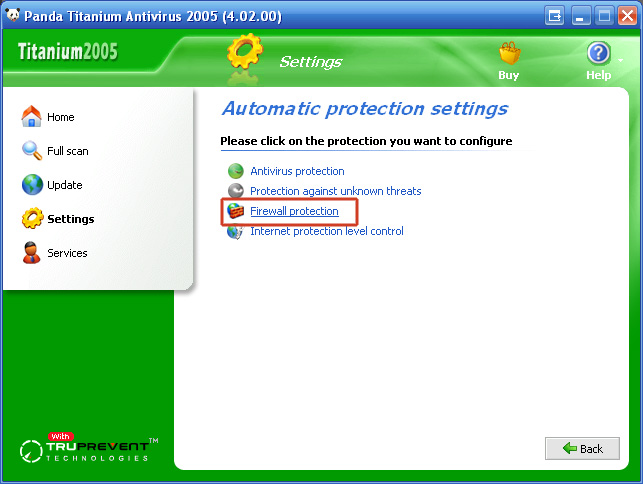
5. Clicca "Firewall protection".
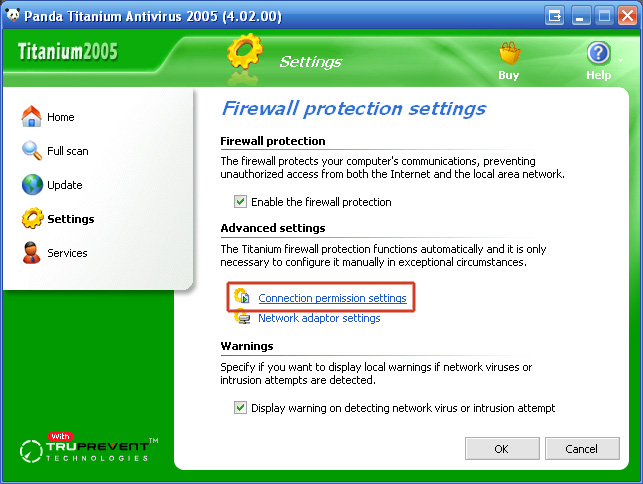
6. Clicca "Connection permission settings".
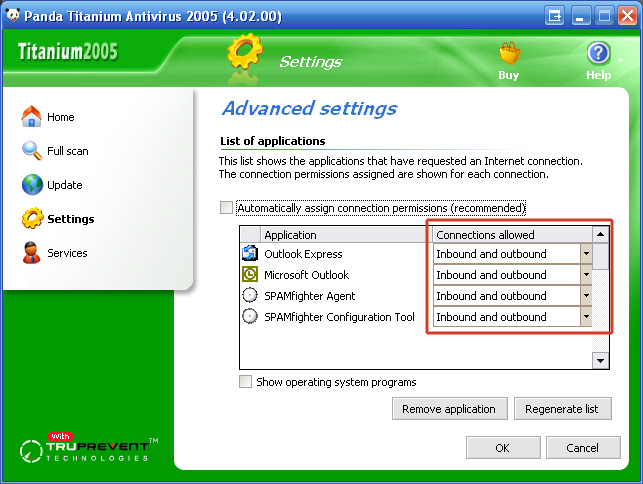
7. Scorri in basso la "List of applications" fino a quando non trovi questi programmi:
"Microsoft Outlook"
"Outlook Express"
"SPAMfighter Agent"
"SPAMfighter Configuration Tool"
9. Clicca "OK" e chiudi la finestra di configurazione.
Ora Panda Titanium Antivirus 2005 è configurato per permettere a SPAMfighter di comunicare con il nostro server anti-spam.