






Allow Active Scripts
I have purchased SPAMfighter, but nothing happens when I try to log into the Community and I cannot type in my Product key?
This might be because you at some point have disabled your active scripts for security reasons.
Please go to your browser
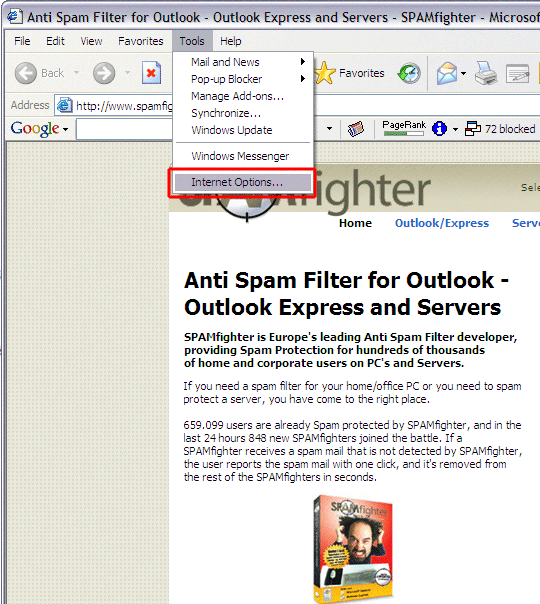
Select "Tools" -> "Internet options.
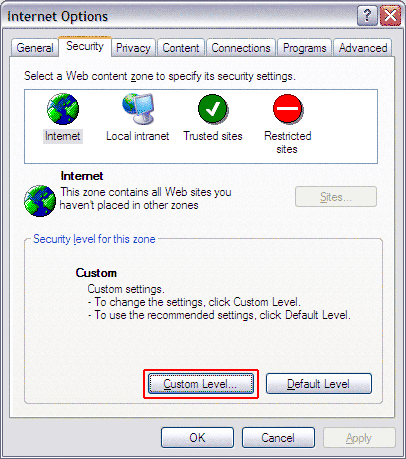
Choose the pane -> "Security" and click -> "Custom Level".
Scroll down to "Scripting" -> "Active Scripting".
Choose "Enable".
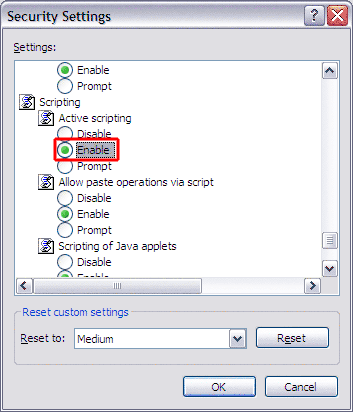
Click "OK" twice.
Your settings should now be correct.