






Language filter


If you receive spam mails in many different languages, SPAMfighter Pro users can block these incoming mails written in a specific language To set-up your language filter to scan for languages you don't want to receive mails in, perform the following steps: Go to "More" -> "Options" -> "Filter settings" -> "Language recognition" and here you will be able to configure your language filte Only SPAMfighter Pro users can use this unique feature. See all the other advantages of becoming a SPAMfighter Pro user here. | 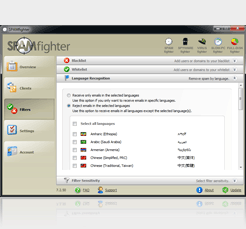 |


 | Back |  | Next |  |