






Allow Cookies on your computer
Nothing happens when i try to Buy SPAMfighter, why?
If your computer doesn't allow cookies you can't buy SPAMfighter.
Please go to your browser.
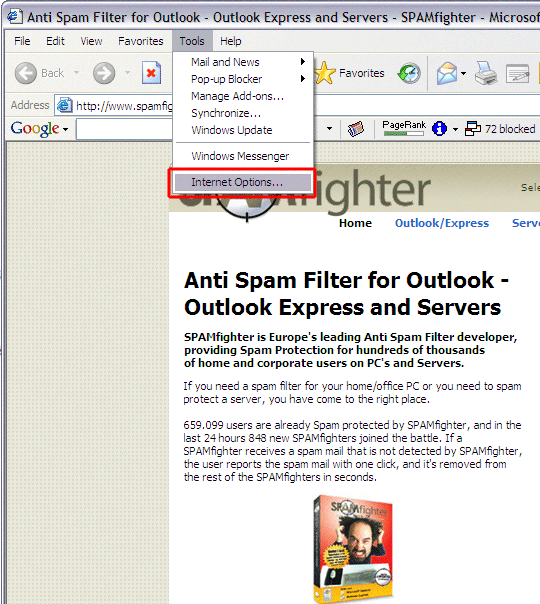
Select "Tools" -> "Internet options".
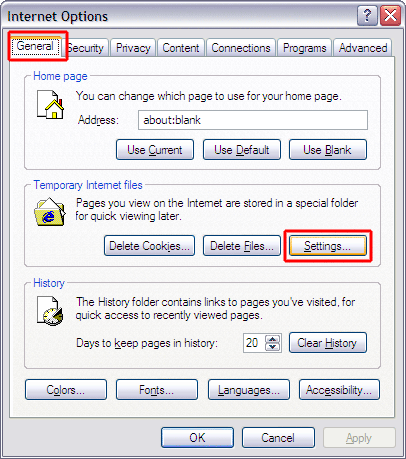
-> "General" under Temporary Internet files, click the "Settings ..." button.
-> Check for newer versions of stored page = "Automatically"
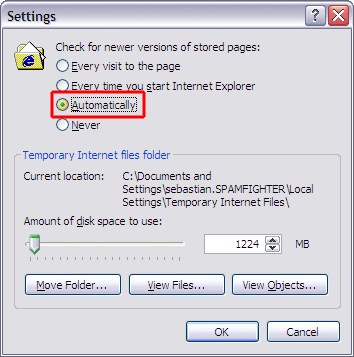
Choose "OK" twice
Select the pane "Privacy" and Click "Sites...".
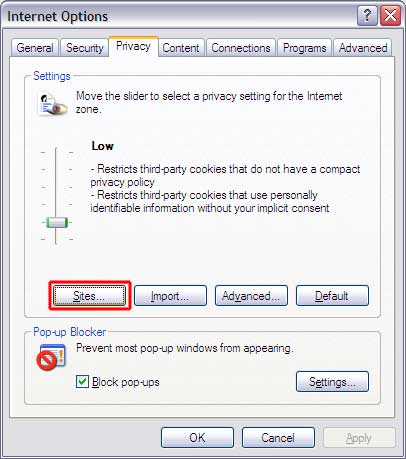
Add www.spamfighter.com and Click "Allow".
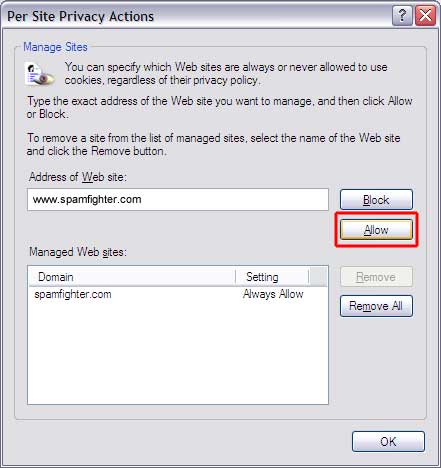
Choose "OK" twice
Restart your Internet Browser and you should be OK.