






Configuring Panda Titanium Unknow Threats
Panda Antivirus 2005 có chức năng mới mẻ để bảo vệ chống lại những mầm đe doạ vô danh.Nhưng mà chức năng này lại gây cho SPAMfighter làm việc không chính xác. Cũng vì vậy mà chúng tôi đề nghị bạn nên cấm chức năng này.
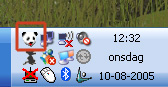
1. Open Panda by clicking on the Panda Logo in your sys-tray in your right corner. (Note: your sys-tray might look different than the one shown below)

2. Nhấn "Open Panda Platinum 2005"
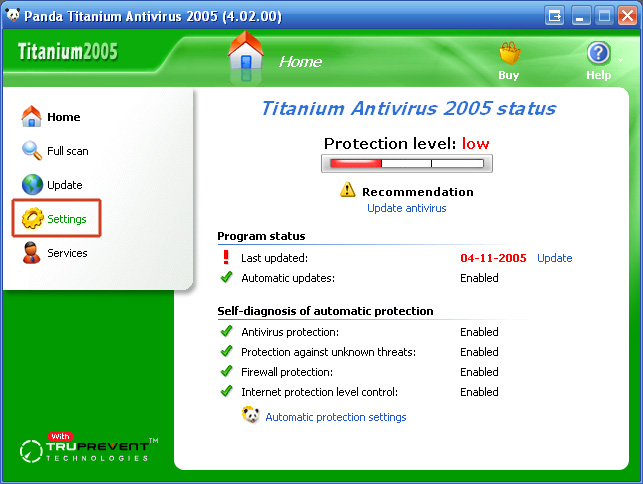
3. Nhấn "Settings" trong menu.
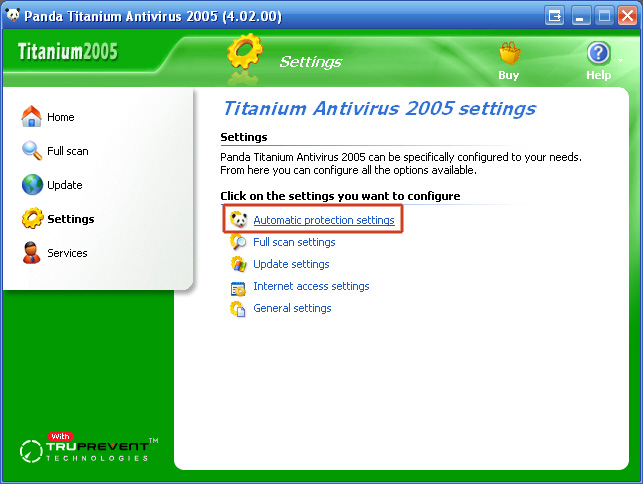
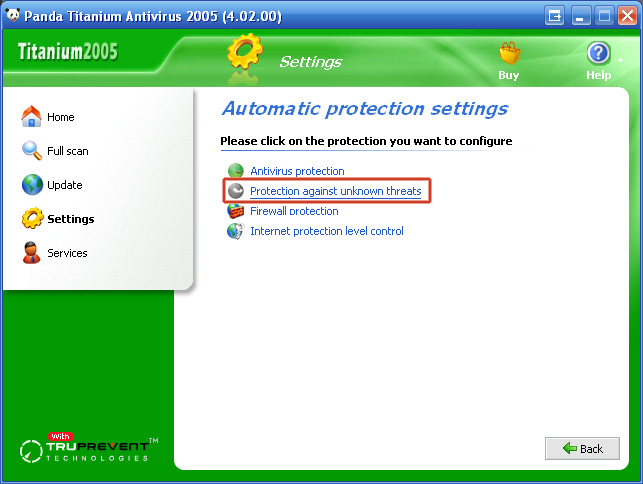
4. Nhấn "Automatic protection settings".
5. Nhấn "Protection against unknown threats".
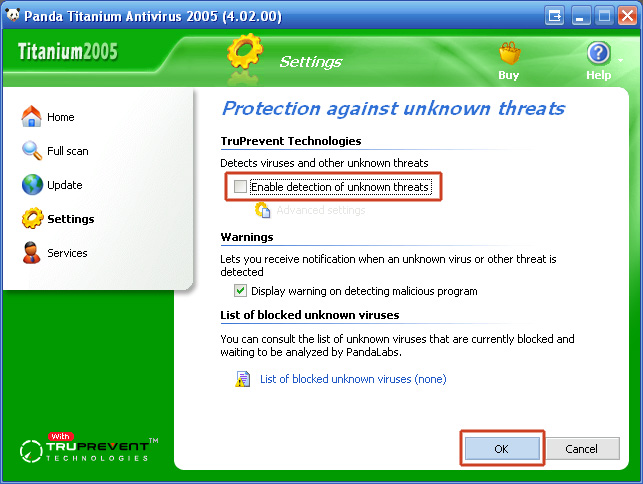
6. Trong bải TruPrevent Technologies , xoá bỏ dấu "Enable detection of unknown threats" để cấm nó và nhấn "OK".
7. Đóng khung control Panda Titanium Antivirus.
Hiện tại SPAMfighter có thể bảo vệ bạn trở lại.
(Chú ý: Bạn cần phải khởi động lại máy vi tính của bạn, trước khi sự thay đổi có công hiệu).